
Profit Margin Calculator
Introduction
Whether you’re a small business owner checking daily profitability, an accountant preparing financial reports, a student learning business finance, or an e-commerce seller analyzing product margins, this profit margin calculator gives you accurate results in seconds — no spreadsheets, no complex formulas, no sign-up required.
How to Use the Profit Margin Calculator
Using our profit margin calculator is incredibly simple and takes less than 10 seconds:
- Choose Margin Type
Select either Gross Profits Margin or Net Profits Margin from the dropdown. - Enter Revenue
Input your total sales/revenue (e.g., 10,000). - Enter Cost of Goods Sold (COGS)
Add direct costs like materials, labor, shipping (e.g., 6,000). - (Only for Net Margin) Enter Total Expenses
When Net Profit Margin is selected, an additional field appears for operating expenses, taxes, rent, marketing, etc. (e.g., 2,000). - Optional: Check “Show detailed breakdown”
See step-by-step calculations including Gross Profit, Net Profit, Total Expenses, and more. - Click “Calculate”
Instantly get your profit margin percentage with full transparency. - Copy Result
One-click copy for reports, emails, or WhatsApp.
Example:
Revenue = $10,000 | COGS = $6,000 | Expenses = $2,000 →
Net Profits Margin = 20% (with full breakdown shown)
The tool automatically validates all inputs and shows clear error messages (e.g., “Revenue cannot be zero” or “Total expenses cannot exceed revenue”), making it impossible to get wrong results.
Perfect for Shopify sellers, Amazon FBA businesses, freelancers, startups, and accounting students!
Formula Explained – How Profit Margin is Calculated
Our profit margin calculator uses the exact industry-standard formulas trusted by accountants worldwide:
Gross Profit Margin Formula
Gross Profit Margin = ((Revenue − COGS) / Revenue) × 100
- Measures how efficiently you produce or deliver your product/service
- Ignores operating expenses, taxes, and interest
- Ideal for comparing product lines or manufacturing efficiency
Net Profit Margin Formula
Net Profit Margin = ((Revenue − COGS − Operating Expenses) / Revenue) × 100
- The “bottom line” — true profitability after ALL costs
- Includes rent, salaries, marketing, taxes, utilities, etc.
- The most important metric for overall business health
Real Example Breakdown (Net Profit Margin)
Revenue: $10,000
COGS: $6,000 → Gross Profit = $4,000
Expenses: $2,000 → Total Costs = $8,000
Net Profit = $2,000
Net Profit Margin = ($2,000 / $10,000) × 100 = 20%
When “Show detailed breakdown” is enabled, you’ll see every step exactly like this — perfect for learning, teaching, or presenting to stakeholders.
Applications & Who Uses This Tool Daily
The profits margin calculator is used by thousands across industries:
- E-commerce & Amazon Sellers – Check if products are actually profitable after fees and shipping
- Small Business Owners – Understand true take-home profit each month
- Freelancers & Consultants – Set pricing that covers taxes and tools
- Accountants & Bookkeepers – Quick client profitability checks
- Students & Teachers – Learn financial statements and ratio analysis
- Startups & Investors – Evaluate business models and burn rate
- Retail Stores – Compare gross margins across product categories
A healthy gross profits margin is typically 30–70% depending on industry, while a good net profit margin is usually 10–20%+ for sustainable businesses. Use this tool regularly to track improvements over time!
FAQs – Profit Margin Calculator
Q1: What’s the difference between gross and net profit margin?
Gross only subtracts direct costs (COGS). Net subtracts everything including rent, salaries, and marketing — it’s your true profit.
Q2: Can I use this for e-commerce (Shopify, Amazon)?
Yes! Most sellers use Gross Margin for product-level decisions and Net Margin for overall business health.
Q3: Is this profit margin calculator free?
100% free, no sign-up, no limits, no ads — forever.
Q4: Does it work on mobile?
Fully responsive — works perfectly on phones and tablets.
Q5: Can I copy the results?
Yes! One-click “Copy” button copies the margin + full breakdown.
Q6: What if my margin is negative?
The calculator will show negative percentages (e.g., -15%) — a clear warning your business is losing money.
Q7: Does it support decimal values?
Yes! Enter amounts like 10999.99 — perfect for real-world finance.


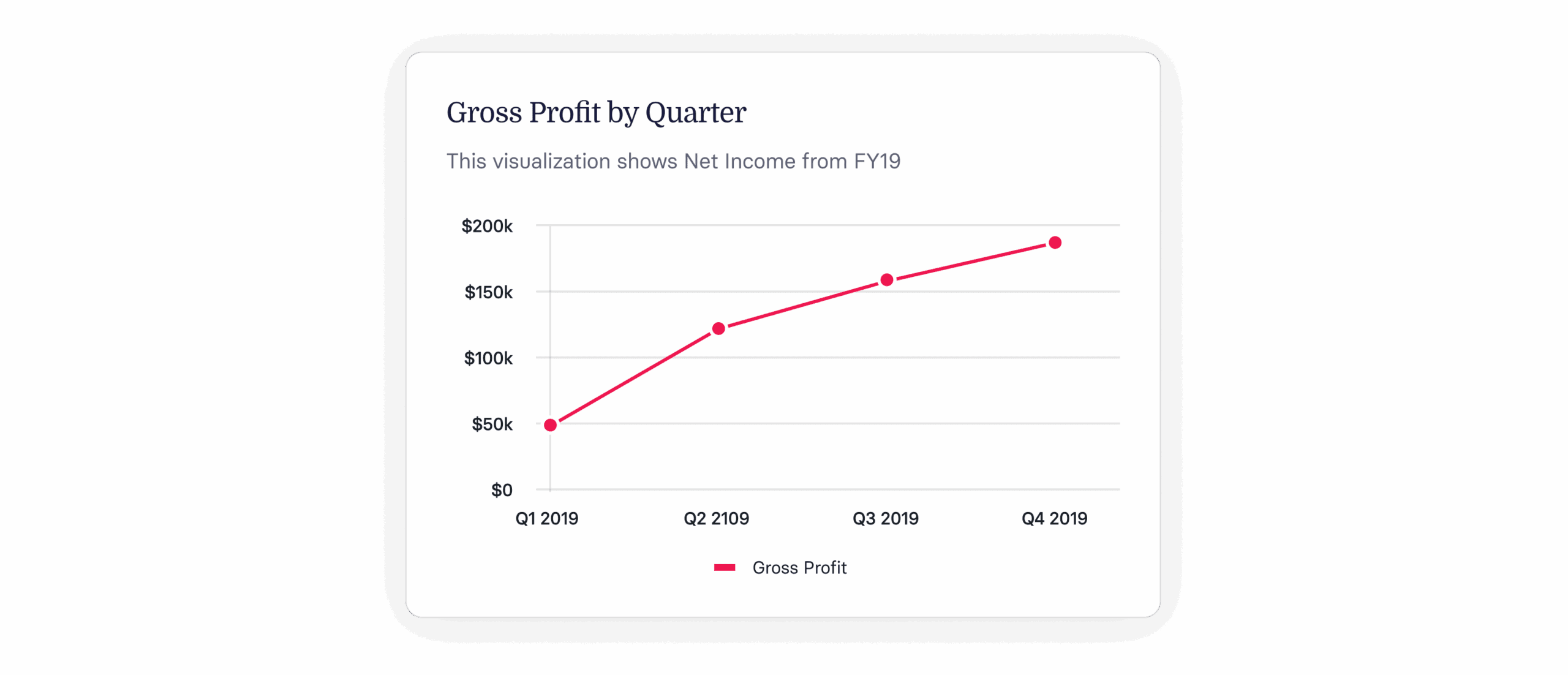
Visualizations & Breakdown Feature
When you check “Show detailed breakdown”, the calculator transforms into a powerful financial explainer:
Net Profit Margin: 20%

Net Profit: 2,000
Gross Profit: 4,000
Total Expenses: 8,000 (COGS 6,000 + Expenses 2,000)
Revenue: 10,000
This transparent view is invaluable for:
- Teaching students how financial statements work
- Explaining profitability to co-founders or partners
- Creating screenshots for investor reports
- Training new finance team members
The breakdown uses clean formatting with monospace-style alignment and is fully copyable.
About This Tool
The Profit Margin Calculator was created by Muhammad Sudais (@msudaisk) and launched in October 2025 as part of our growing collection of free, high-precision business and math tools.
We’re committed to keeping it 100% free and ad-free while adding new features based on your feedback (markup calculator, break-even analysis, and ROI calculator coming soon!).
Try the Profit Margin Calculator right now — enter your numbers and see your true profitability in seconds!
Bookmark this page, share it with your accountant friends, and follow @msudaisk for more free tools launching every week.
Have a suggestion? Want markup calculator or EBITDA calculator next? Drop a comment or DM — your feedback builds the next tool!
Let’s make business math simple, beautiful, and free — together.